Need to build a project plan quickly? TeamGantt's AI Project Creation tool helps you generate a project schedule in seconds. Simply describe your project, and AI will create a project with suggested tasks, milestones, phases, and timelines that you can customize to fit your needs.
How to create a project with TeamGantt AI Assistant?
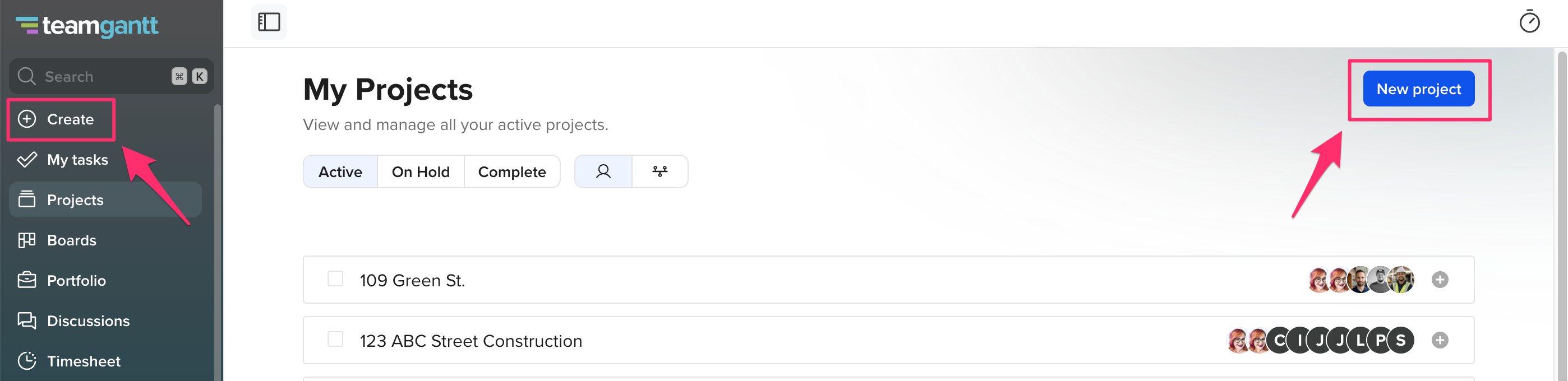
From the My Projects page, click New Project. You can also click Create from the left sidebar
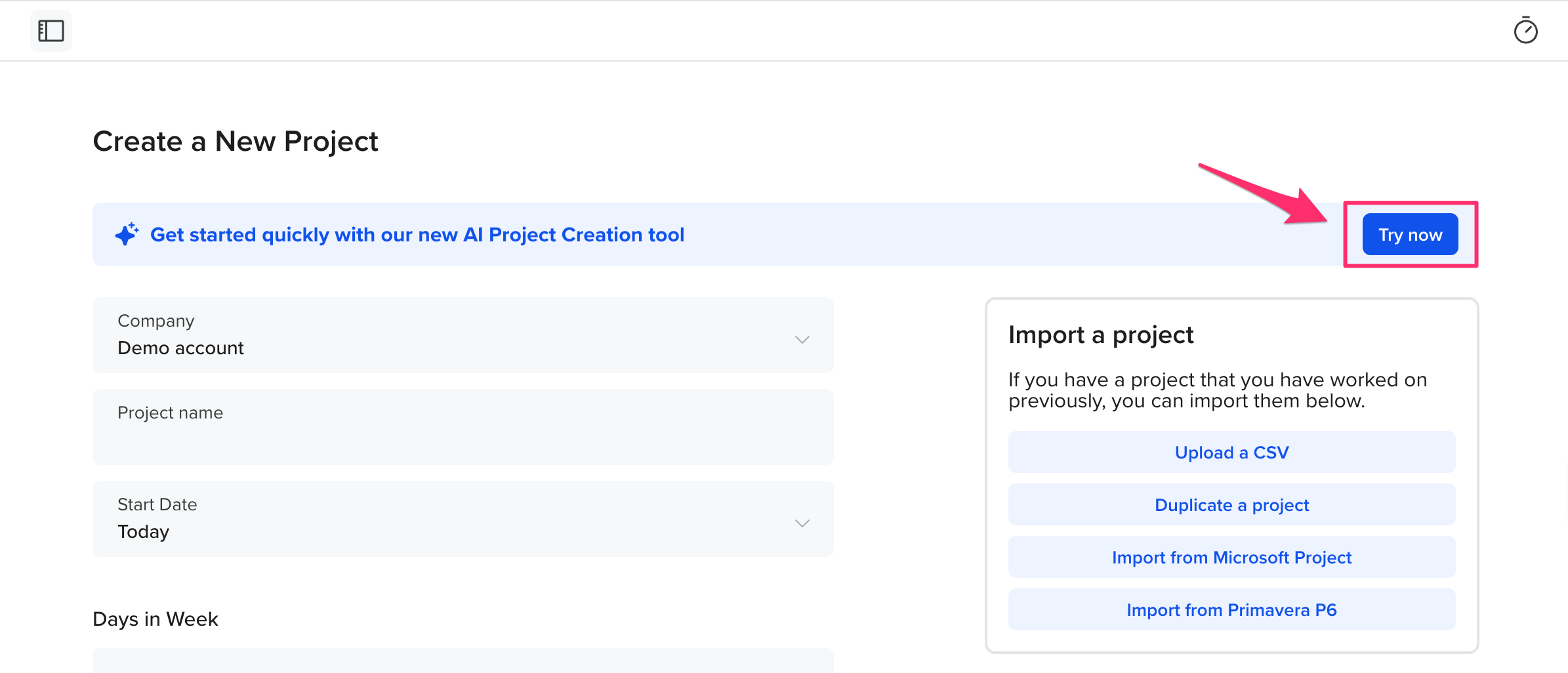
Select Try Now from the banner at the top of the project creation page.
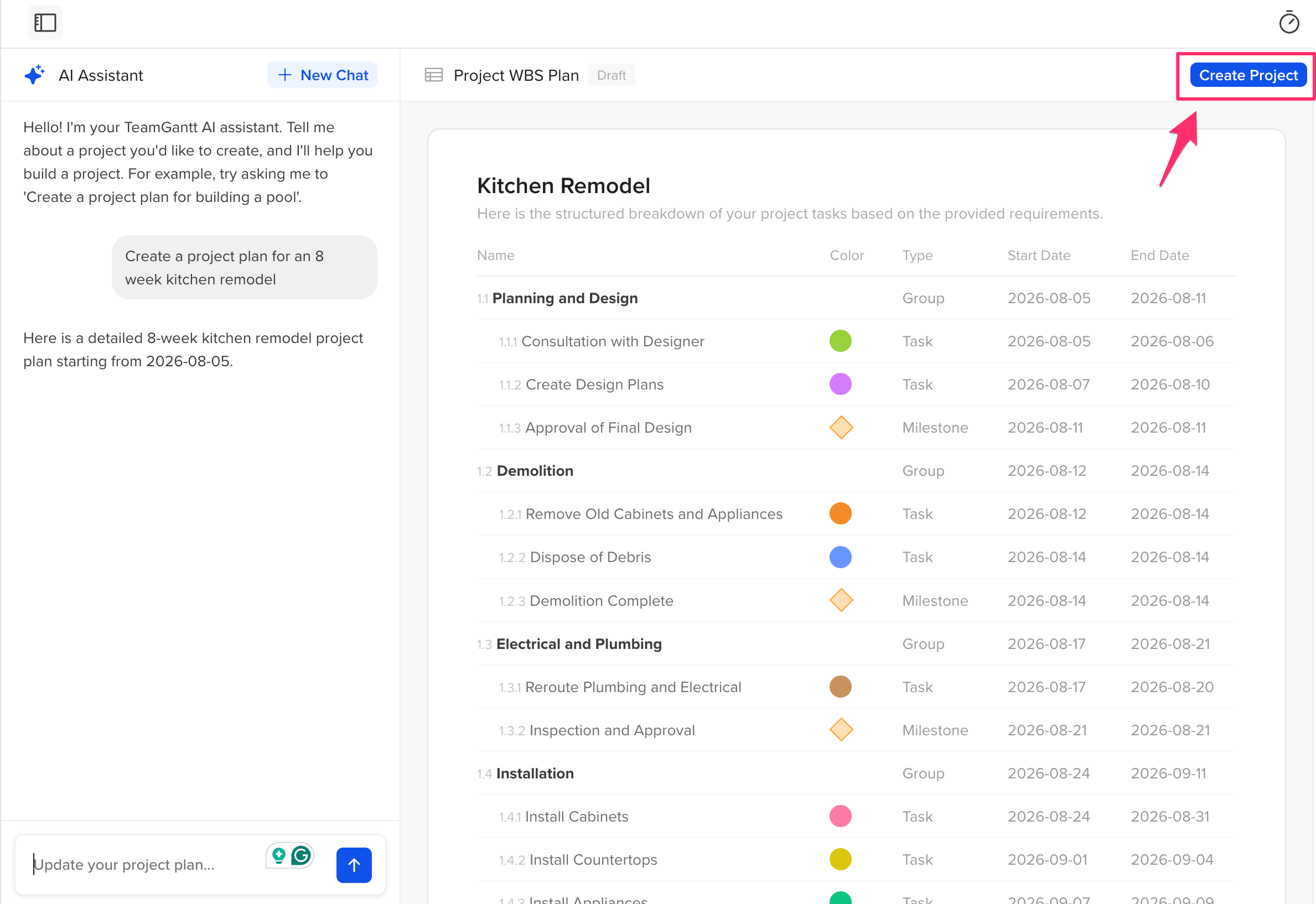
Enter a description of your project and hit Enter. The more details you provide, the better your results will be.
- For example:
- Website redesign for a small business
- Marketing campaign for a product launch
- Office renovation project
- Residential home construction
Review the generated project outline. If needed, edit the prompt and generate a new version.
When you're happy with the results, click Create Project.
Your new project will open in TeamGantt, where you can continue making changes just like any other project.
Tips for better results
For the best project plan, include details such as:
- The type of project
- Your industry
- Major deliverables
- Important deadlines
- Project goals
- Team size or key roles (if applicable)
For example, instead of:
Create a marketing project.
Try:
Create a 10-week marketing campaign for a new software launch that includes content creation, email marketing, social media, paid advertising, and launch activities.
The more context you provide, the more tailored your project plan will be.
Who can use this feature?
Anyone who has Manager permission can use the AI Project Creation tool.
What's included in an AI-generated project?
Depending on your prompt, AI may generate:
- Project phases
- Tasks
- Milestones
- Suggested task durations
- A recommended project timeline
The generated project serves as a starting point. You can add, remove, or edit any tasks after the project is created.
How to edit your AI-generated project?
After your project is created in TeamGantt, you can:
- Rename tasks and phases.
- Adjust dates and durations.
- Assign work to team members.
- Add notes, attachments, and checklists.
- Customize the project to match your workflow.
AI provides a starting point—you remain in complete control of your project plan.