TeamGantt can be used as an educational tool to help instructors teach project management concepts and give students hands-on experience with project planning.
Whether you're teaching a project management course, guiding students through a classroom project, or using Gantt charts to organize your course, an educational account can help you and your students plan, collaborate, and track progress in one place.
Who can use an educational account?
TeamGantt offers special accounts for instructors using TeamGantt in an educational setting.
Educational accounts can be a great fit for:
- College and university instructors
- Project management courses
- Instructors teaching project planning and scheduling
- Other classroom environments where students can benefit from hands-on project management experience
How do I set up an educational account?
Step 1: Contact TeamGantt
To learn more about educational account options, contact our Support team at support@teamgantt.com using your workplace- or school-provided email address.
In your email, let us know that you're an instructor interested in using TeamGantt for educational purposes.
Step 2: Work with our team to set up your account
Our team can help you determine the best account setup for your classroom and provide information about available educational pricing.
Once your account is set up, you'll be ready to start building projects and inviting students.
Step 3: Invite your students
Once your account is ready, invite your students to join the account
You can invite your students by going to Account Settings > Manage users. 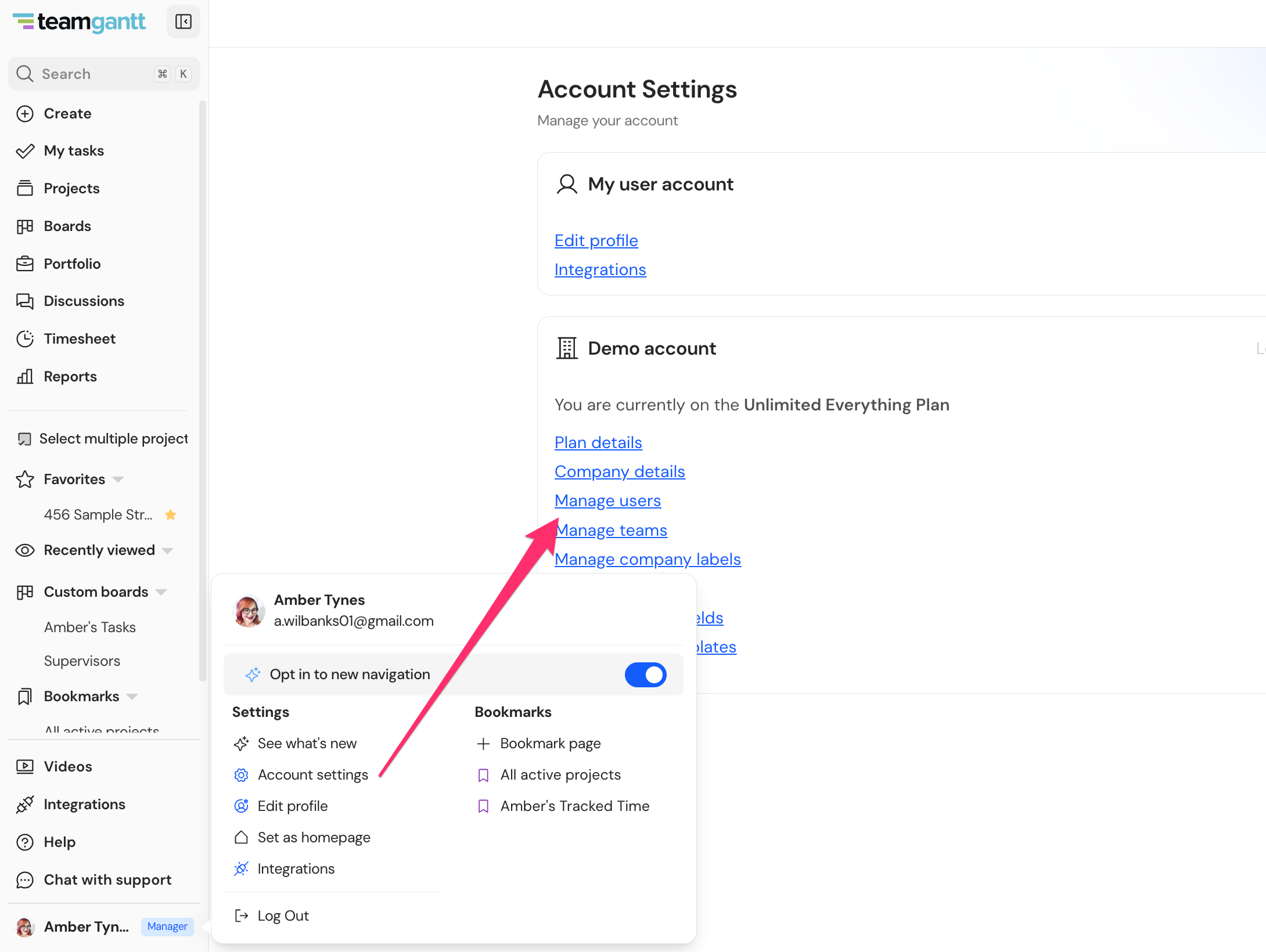
Step 4: Introduce students to TeamGantt
TeamGantt provides support resources to help students get familiar with the platform, including support documentation and tutorial videos.
For instructors, TeamGantt can also provide classroom-specific guidance to help you get the most out of the platform.
How can TeamGantt be used in the classroom?
TeamGantt can help instructors give students practical experience with project planning and management.
For instructors
TeamGantt provides tools to:
- Keep an eye on student projects and progress
- Collaborate with students in real time
- Review changes students make to their Gantt charts
- Help students learn project management concepts using real-world software
For students
Students can:
- Build and manage their own project plans
- Collaborate with classmates
- Update their projects from anywhere with an internet connection
- Learn how project management tools are used in professional environments
- Practice organizing tasks, schedules, and dependencies
Need help getting started?
If you have questions about setting up an educational account or using TeamGantt in your classroom, contact our Support team at support@teamgantt.com.
We're happy to help you get your classroom up and running!