Importing a Primavera P6 file is a quick way to get your existing project into TeamGantt without having to rebuild your schedule from scratch.
How do I import a Primavera P6 project?
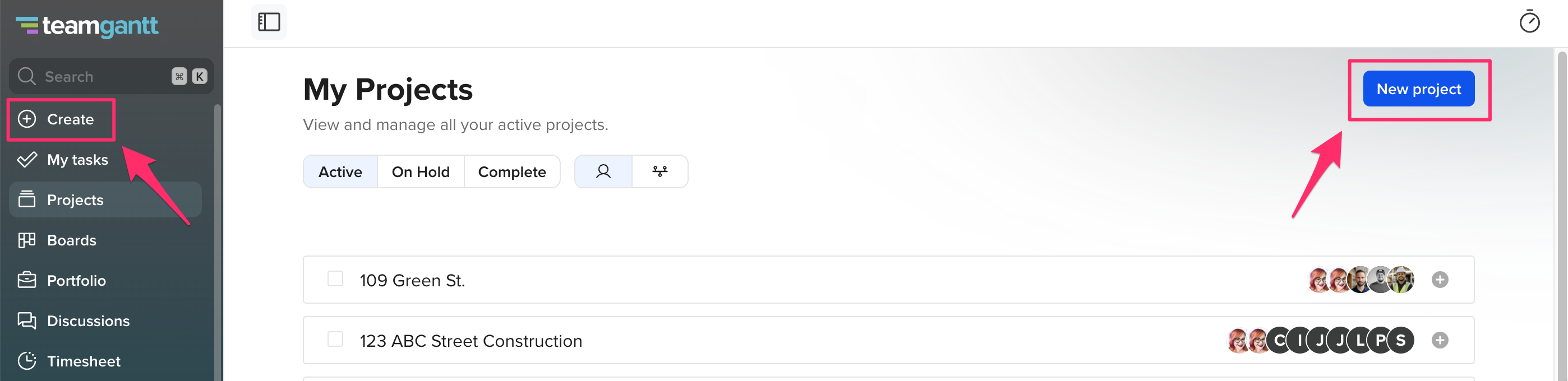
- Click New Project in the upper-right corner of your My Projects page, or click Create from the left sidebar.
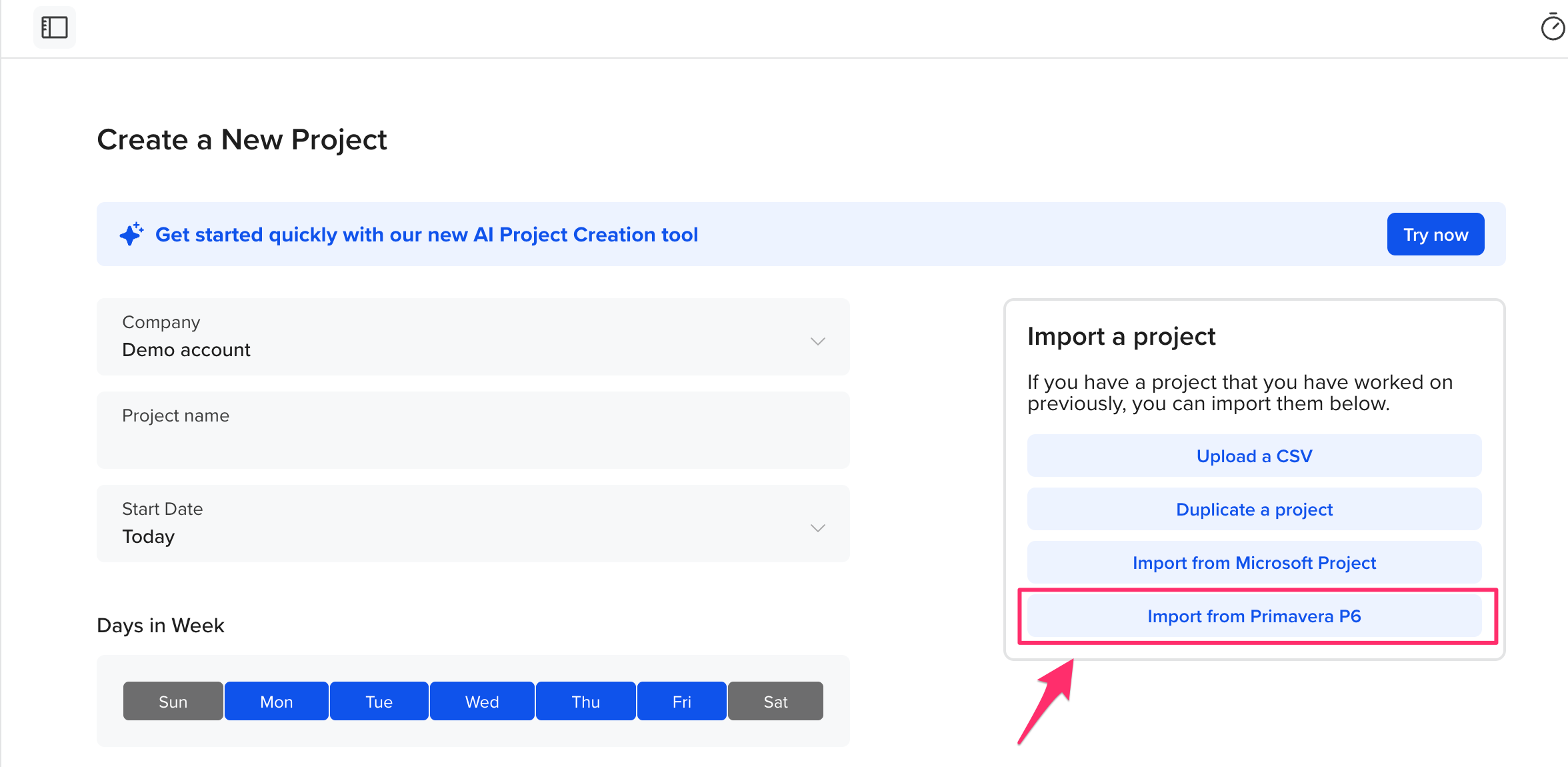
- Select Import from Primavera P6 to begin the import process.
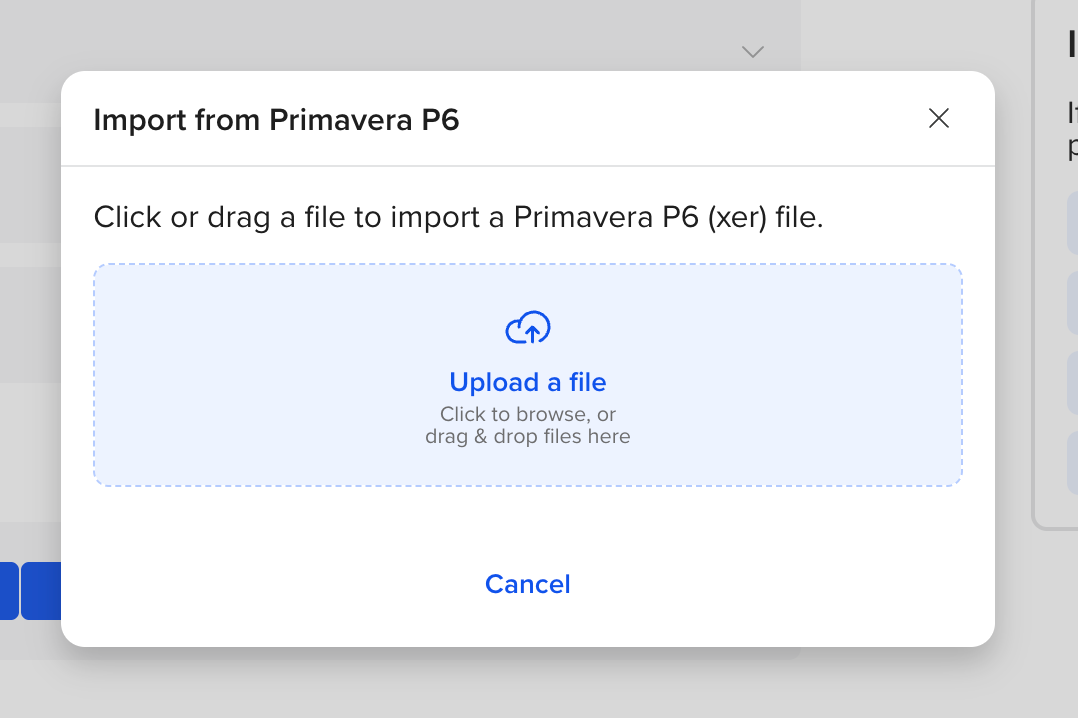
- Upload your Primavera P6 file by clicking Upload a file or by dragging and dropping the file into the upload area.
Once the file has been uploaded, TeamGantt will process your project and create a new Gantt chart.
What data can I import?
- Task Name
- Dependencies
- Start/End Dates
- Task Completion Percentages
What data can't be imported?
- Task Resource Assignments
- Resources
Having trouble with importing your file? Email us at support@teamgantt.com. We'd be happy to help!
Looking for another way to sync your data with TeamGantt? Check out our integration with Zapier!